


.png)
Connect Microsoft Teams to your business telephony
Bring your existing phone system and numbers into Microsoft Teams with Ring2Teams Direct Routing. Make and receive business calls seamlessly while keeping control of your telephony infrastructure
What is Direct Routing for Microsoft Teams?
Microsoft Teams Direct Routing connects Teams Phone with compatible external telephony infrastructure through a certified Session Border Controller (SBC).
It gives businesses the flexibility to use existing numbers, telecom services and PBX systems while enabling Teams-based calling
_edited.png)
PSTN / SIP Trunk
Carriers & Telco
Services
Existing Telephony
PBX, SIP, Analogue Devices (Compatible)
Ring2Teams
Direct Routing
(SBC)
Microsoft Teams Phone
Business Calling Platform
Your Users
Anywhere, Any
Device
Why Businesses Choose Ring2Teams

Existing Telephony
PBX, SIP, Analogue Devices (Compatible)

Existing Telephony
PBX, SIP, Analogue Devices (Compatible)

Existing Telephony
PBX, SIP, Analogue Devices (Compatible)

Existing Telephony
PBX, SIP, Analogue Devices (Compatible)

Existing Telephony
PBX, SIP, Analogue Devices (Compatible)
How To Ring2Teams?

One calling experience. Connected to your business telephony
Spark
• User 1-19
• 1 x MDR connection
• 1 x DID number porting
• Price is per month, minimum subscription is 12 months
• Requires calling plan from INVITE.
Growth
• User 20-49
• 1 x MDR connection
• 1 x DID number porting
• Price is per month, minimum subscription is 12 months
• Requires calling plan from INVITE.
Professional
• User 50-99
• 1 x MDR connection
• 1 x DID number porting
• Price is per month, minimum subscription is 12 months
• Requires calling plan from INVITE.
Ultimate
• User 100-300
• 1 x MDR connection
• 1 x DID number
• Price is per month, minimum subscription is 12 months
• Requires calling plan from INVITE.
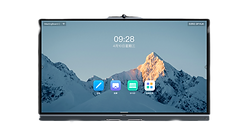
list of voip devices That works with microsoft teams


IP-PBX

