top of page
Home
Products
SIP-Phones
IP-PBX
Pro Audio
Cloud PBX
Yealink Microsoft Teams Devices
Ring2Teams Microsoft Direct Routing
VoIP Gateway
SIP Intercom
Carrier Grade Softswitch
Unified Communication
Video Conferencing Solutions
BYOD Meeting Room Solution
Meeting Room Solutions
IP Phone Solution
Cloud PBX Solutions
Hospitality Solutions
Healthcare Solutions
Residential Solutions
Education Solutions
Announcement
Blog
FAQ
Support
Partner Program
Videos
RMA Policy
Company
About Us
Contact Us
More
Use tab to navigate through the menu items.
Netregy Systems
Play Video
Play Video
17:32
Netregy 20th Year Company Anniversary
HOORAY!!! We've reached the BIG 20! We've come a lonnggggg way & we are super duper excited to share this AMAZINGGGG milestone with all of you! We wouldn't be where we are without all of you today. Watch the video below to hear some words from our founders with regards to Netregy's inception, our business philosophy & what makes us persevere through the test of time! Congratulations to Netregy Systems! Here's to many more amazing milestones ahead! Music provided by Free Vibes: https://goo.gl/NkGhTg Way To Dream - Inspiring Piano And Strings by Keys Of Moon Music: https://soundcloud.com/keysofmoon/way... Attribution 3.0 Unported (CC BY 3.0) https://creativecommons.org/licenses/...
Play Video
Play Video
13:02
Netregy Relaxing Merdeka Cook Off (RMCO)
To celebrate Malaysia's National Day, we've decided to test Netregians culinary skills by whipping up some signature Malaysia dishes. Find who's the best cook in Netregy Systems for year 2020.
Play Video
Play Video
11:08
How Well Do Netregians Know Malaysia?
As part of our celebration for Malaysia's National Day, we have decided to test Netregian's knowledge on Malaysia. Let's see if you know the answers to the questions too.
Play Video
Play Video
00:29
NETREGY MERDEKA 2020 TEASER
It's the season of Merdeka and you know what that means? It's time for Netregy's very own Merdeka Video. Catch a sneak peek of what's coming in the next few days.
Play Video
Play Video
00:59
Introduction to Netregy Systems
Find out more about what we do & grow your business!
Play Video
Play Video
02:26
Netregy's Merdeka Spirit!
In celebration of Malaysia's Independence Day, we would like you to enjoy this short video made by all of us to showcase the diversity & harmony that keeps Netregy Systems together! Celebrate Diversity, Foster Unity. Selamat Bulan Merdeka to All!
Play Video
Play Video
00:15
Introduction to Netregy Systems
Interested in our product launches, events & promotions?🤩 Just 'LIKE' our Facebook page to keep yourself updated on the latest news. That simple! 😉 That way, you'll be the first to know about any potential opportunities up for grabs.
Yealink
Play Video
Play Video
01:06
Build up Your Smart Workspace with Yealink RoomPanel for Microsoft Teams
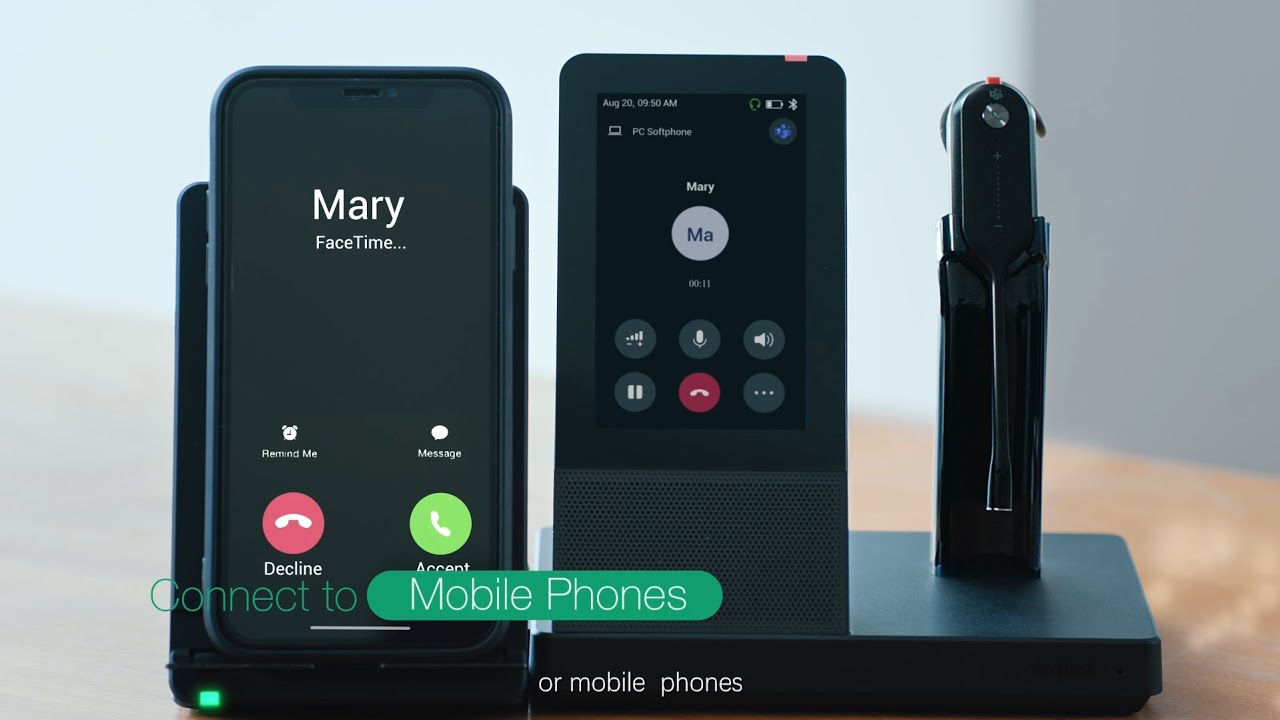
Yealink RoomPanel is one of the dedicated Microsoft Teams devices with compact touchscreen and ideal for mounted outside the meeting spaces for displaying meeting details scheduled via Teams or Outlook 365 calendaring applications. Moreover, the panel is also enabled for reserving an available room on the spot and indicating current room status. For more information about Yealink RoomPanel, please visit: https://www.yealink.com/product/roompanel-microsoft-teams Yealink MeetingBar A30 - Microsoft Teams Rooms on Android: https://www.yealink.com/product/meetingbar-a30-teams
Play Video
Play Video
02:24
Yealink One-stop Full Scenario Device Solutions for Microsoft Teams
Play Video
Play Video
02:51
Yealink WH66 Unboxing Video
Learn more about WH66: https://www.yealink.com/product/headset-wh66
Play Video
Play Video
00:28
Automatic Lens Cap
Play Video
Play Video
02:40
Yealink WH67 Unboxing Video
Learn more about WH67: https://www.yealink.com/product/headset-wh67
Play Video
Play Video
01:19
Yealink Premium DECT Headsets - UC Workstation Redefine Your Workspace
ARE YOU READY TO REDEFINE YOUR WORKSPACE? At the very beginning of the year, Yealink brings a series of DECT wireless headset and a product family named UC Workstation to you. Learn detail about Yealink Premium DECT Headsets WH66&WH67: https://www.yealink.com/products_list_44.html#filter2
Play Video
Play Video
02:06
Yealink UC Workstation Product Video - Redefine Your Workspace
ARE YOU READY TO REDEFINE YOUR WORKSPACE? At the very beginning of the year, Yealink brings a series of DECT wireless headset and a product family named UC Workstation to you. Learn detail about Yealink WH6X Series DECT Headsets: https://www.yealink.com/products_list_44.html#filter2
Play Video
Play Video
01:14
Yealink Essential DECT Headsets - Redefine Your Workspace
ARE YOU READY TO REDEFINE YOUR WORKSPACE? At the very beginning of the year, Yealink brings a series of DECT wireless headset and a product family named UC Workstation to you. Learn detail about Yealink Premium DECT Headsets WH62&WH63: https://www.yealink.com/products_list_44.html#filter2
Yeastar
Play Video
Play Video
00:39
Yeastar Central Management - The Latest Innovative Platform to Manage Your Yeastar Products (2021)
👋 Say hello to Yeastar Central Management (YCM). Built for MSP, VAR, and other service providers, Yeastar Central Management (YCM) is an all-encompassing platform for P-Series Cloud Edition service delivery and Yeastar on-premises devices management. 👀 See what can you do on YCM and why we say YCM is a Great Enabler for Greater Service here: https://bit.ly/3m21Em1
Play Video
Play Video
01:43
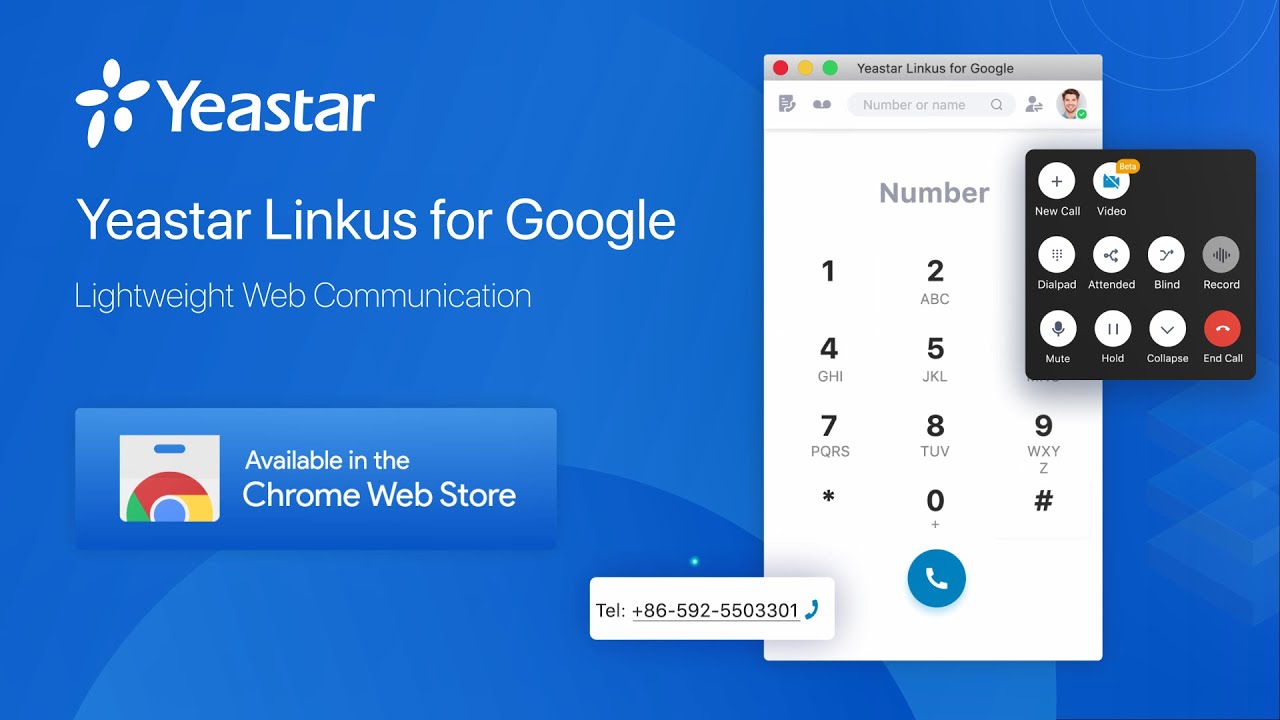
Yeastar Linkus for Google | Chrome Extension (2021)
Debuted earlier this month, Yeastar Linkus for Google (Chrome Extension) is a lightweight browser softphone for you to miss no calls, simply call handling, and streamline workflow to drive productivity. It allows you to: 👉 Receive incoming call pop-ups even with web browser closed 👉 Click to call numbers displayed on web pages 👉 Perform active call control with a simplified extension tab 👉 Set your presence and view that of your colleagues 👉 Search and match Contacts by number or name For more features with details, please visit our website: https://www.yeastar.com/voip-phone-system-feature/yeastar-linkus-google-chrome/
Play Video
Play Video
03:49
What is PBX?
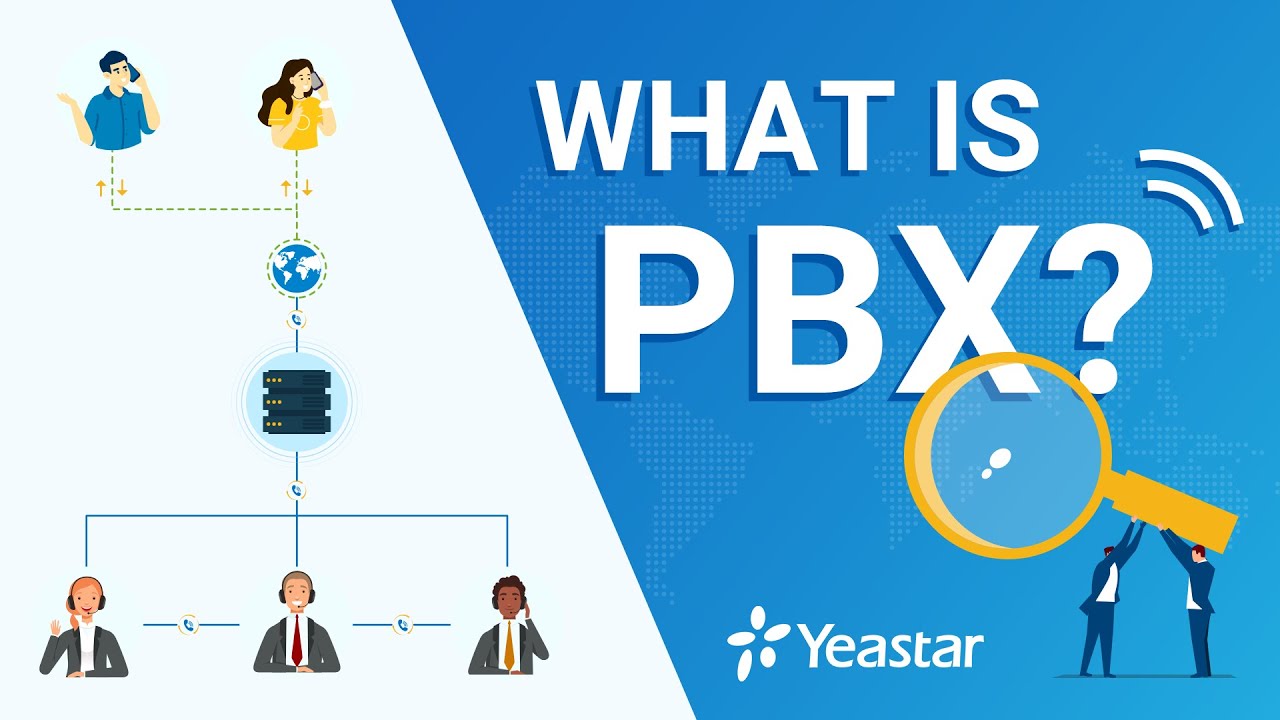
What is PBX? We bet your company uses it. But do you really know what the term stands for? Let's break the full name down. PBX, short for Private Branch Exchange, is a private telephone network used within a company or organization. The users of the PBX phone system can communicate internally (within the company) and externally (with the outside world), using different communication channels like VoIP, ISDN, or analog. Still confused? Don't fret! In today's video, we will walk you through everything you need to know to understand what PBX is. For more info on choosing the right PBX for your company, please visit: https://bit.ly/3uG1QOx If you want to try out a PBX, we offer a 30-day free trial without a credit card: https://bit.ly/3uJ3GOI ————————————— More videos from our WHAT IS playlist: WHAT IS VoIP? https://youtu.be/nzyZwh8v1-8 WHAT IS UC? https://youtu.be/LbfiXwtg8lk WHAT IS SIP? https://youtu.be/ursAwMH1ow0 WHAT IS NAT? https://youtu.be/_0AlFIEXkQI WHAT IS Contact Center? https://youtu.be/azYYIjA1BYk What IS Auto Dialer? https://youtu.be/3dT5nawho9U ————————————— Subscribe to Yeastar's YouTube Channel: https://bit.ly/46kiZuc Facebook: https://www.facebook.com/yeastar Twitter: https://twitter.com/yeastar Instagram: https://www.instagram.com/yeastar_official/ LinkedIn: https://www.linkedin.com/company/Yeastar #PBX #factvideo #pbx
Play Video
Play Video
02:24
Integrated Video Conferencing Solution on Yeastar P-Series PBX System | Introduction 2021
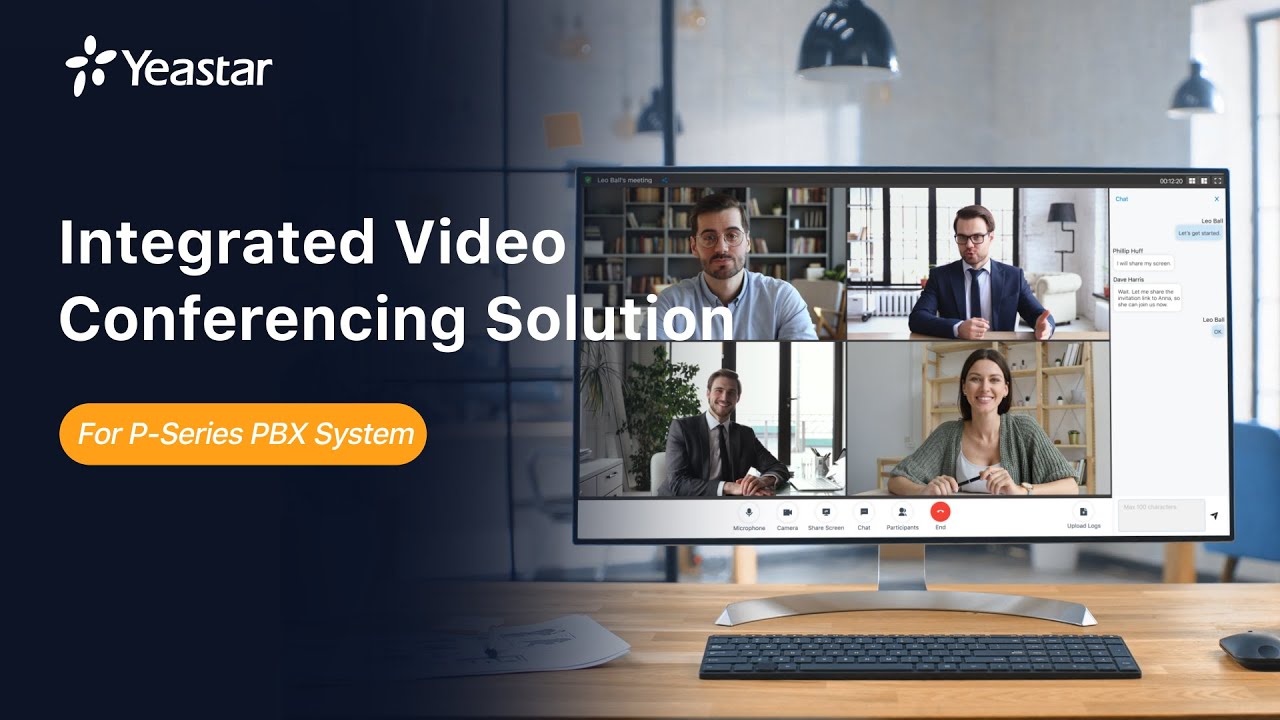
Meeting remotely can just get easier. A simple, lightweight, yet engaging remote meeting solution for your team and customer meetings is now available on Yeastar P-Series PBX System. You may get a further understanding of the following dots after you watched the video. Let’s take a closer look at Yeastar integrated video conferencing solution: ● See and hear other participants in full HD. ● Meet everyone with the gallery or speaker views ● Share the whole screen, applications, or browser tabs ● Click-to-invite team directory via email ● Password-protected and password-free meetings ● Industry-standard security and GDPR compliance ●Up to 5 attendees in a single online meeting ● 4 video conferences at the same time ● 2-hour duration for a single video conference Here are some useful links for you to get more information about this versatile new product & new feature: Yeastar P-Series PBX System: https://bit.ly/39pqmGP Yeastar integrated video conferencing solution: https://bit.ly/2NxIrK3 Schedule a live demo: https://bit.ly/39nj7Po #PBXPlusMore #GoBoundless
Play Video
Play Video
01:59
Remote Access Service (RAS) on Yeastar P-Series PBX System | Introduction 2021
Yeastar Remote Access Service is a turnkey remote working solution developed specially for P-Series appliances. It provides an easy-to-access domain name, safeguards PBX remote web access, and allows the remote workforce to enjoy a consistent in-office unified communications experience with Linkus UC Clients anywhere on any device. For more details, please visit: https://www.yeastar.com/remote-access-service/ #PBXPlusMore #GoBoundless
Play Video
Play Video
01:53
VoIP Features for Dummies - Blocklist & Allowlist
"Can you stop calling me? You're bothering me right NOW!" Are you always pissed because of those nuisance calls? You block them on your cellphone after hung up. You should also block their attempts to connect to your companies' numbers. Make the rules for them. Numbers in the blocklist will be blocked to call in, or called, or both, while those in the allowlist are allowed to call in/called or both regardless of the blocklist settings. The priority of the allowlist is higher than the blocklist. With the Blocklist & Allowlist feature, Yeastar S-Series VoIP PBX (on-premises) and Cloud PBX can easily help you get rid of them once and for all. Let’s see a more interesting expression on the video now. For a more comprehensive introduction about how the Blocklist & Allowlist work and how to configure the features on Yeastar PBX, go to Yeastar blog: https://bit.ly/2GHuALh —————————————— Website Yeastar Web: https://www.yeastar.com/ Yeastar Academy: https://www.yeastar.com/academy/ Document Center: https://help.yeastar.com/ Support Center: https://support.yeastar.com/
Play Video
Play Video
02:06
User Role | Granular Permission Control on Yeastar P-Series PBX System (2021)
Each group of individuals has a particular job within the company. It’s necessary to provide granular permissions to different groups according to employees' responsibilities. With Yeastar P-Series PBX System, you can assign employees different user roles and grant granular permissions to the right individuals. If the predefined roles don't contain all the permissions that you want to grant a user, you can edit the predefined roles or create a user role. Try to get your customized user roles for your business with your P-Series! For more detailed information about Yeastar P-Series User Role, please visit: http://bit.ly/39NskzF #PBXPlusMore #GoBoundless
Play Video
Play Video
00:48
VoIP Features for Dummies - IP Blocklist on PBX System (2021)
Are you still under the threats from toll fraud and malicious attacks? Did you ever helplessly bear the business loss before you aware of it? Then you must know how to protect your telephony system yourself in the easiest and securest way. Yeastar S-Series VoIP PBX can block an #IP address for too many failed login attempts, too many failed registration attempts, or too many failed authentications for Auto Provisioning. Then the blocked IP addresses would be listed in the Blocked IP Address table, and won’t be able to enter into your phone system anymore. How to configure it on Yeastar S-Series VoIP PBX?Check the online document here and get rid of toll fraud and malicious attacks from now on: https://bit.ly/2Y1f1o8 —————————————— Website Yeastar Web: https://www.yeastar.com/ Yeastar Academy: https://www.yeastar.com/academy/ Document Center: https://help.yeastar.com/ Support Center: https://support.yeastar.com/
Yeastar
Play Video
Play Video
00:39
Yeastar Central Management - The Latest Innovative Platform to Manage Your Yeastar Products (2021)
👋 Say hello to Yeastar Central Management (YCM). Built for MSP, VAR, and other service providers, Yeastar Central Management (YCM) is an all-encompassing platform for P-Series Cloud Edition service delivery and Yeastar on-premises devices management. 👀 See what can you do on YCM and why we say YCM is a Great Enabler for Greater Service here: https://bit.ly/3m21Em1
Play Video
Play Video
01:43
Yeastar Linkus for Google | Chrome Extension (2021)
Debuted earlier this month, Yeastar Linkus for Google (Chrome Extension) is a lightweight browser softphone for you to miss no calls, simply call handling, and streamline workflow to drive productivity. It allows you to: 👉 Receive incoming call pop-ups even with web browser closed 👉 Click to call numbers displayed on web pages 👉 Perform active call control with a simplified extension tab 👉 Set your presence and view that of your colleagues 👉 Search and match Contacts by number or name For more features with details, please visit our website: https://www.yeastar.com/voip-phone-system-feature/yeastar-linkus-google-chrome/
Play Video
Play Video
03:49
What is PBX?
What is PBX? We bet your company uses it. But do you really know what the term stands for? Let's break the full name down. PBX, short for Private Branch Exchange, is a private telephone network used within a company or organization. The users of the PBX phone system can communicate internally (within the company) and externally (with the outside world), using different communication channels like VoIP, ISDN, or analog. Still confused? Don't fret! In today's video, we will walk you through everything you need to know to understand what PBX is. For more info on choosing the right PBX for your company, please visit: https://bit.ly/3uG1QOx If you want to try out a PBX, we offer a 30-day free trial without a credit card: https://bit.ly/3uJ3GOI ————————————— More videos from our WHAT IS playlist: WHAT IS VoIP? https://youtu.be/nzyZwh8v1-8 WHAT IS UC? https://youtu.be/LbfiXwtg8lk WHAT IS SIP? https://youtu.be/ursAwMH1ow0 WHAT IS NAT? https://youtu.be/_0AlFIEXkQI WHAT IS Contact Center? https://youtu.be/azYYIjA1BYk What IS Auto Dialer? https://youtu.be/3dT5nawho9U ————————————— Subscribe to Yeastar's YouTube Channel: https://bit.ly/46kiZuc Facebook: https://www.facebook.com/yeastar Twitter: https://twitter.com/yeastar Instagram: https://www.instagram.com/yeastar_official/ LinkedIn: https://www.linkedin.com/company/Yeastar #PBX #factvideo #pbx
Play Video
Play Video
02:24
Integrated Video Conferencing Solution on Yeastar P-Series PBX System | Introduction 2021
Meeting remotely can just get easier. A simple, lightweight, yet engaging remote meeting solution for your team and customer meetings is now available on Yeastar P-Series PBX System. You may get a further understanding of the following dots after you watched the video. Let’s take a closer look at Yeastar integrated video conferencing solution: ● See and hear other participants in full HD. ● Meet everyone with the gallery or speaker views ● Share the whole screen, applications, or browser tabs ● Click-to-invite team directory via email ● Password-protected and password-free meetings ● Industry-standard security and GDPR compliance ●Up to 5 attendees in a single online meeting ● 4 video conferences at the same time ● 2-hour duration for a single video conference Here are some useful links for you to get more information about this versatile new product & new feature: Yeastar P-Series PBX System: https://bit.ly/39pqmGP Yeastar integrated video conferencing solution: https://bit.ly/2NxIrK3 Schedule a live demo: https://bit.ly/39nj7Po #PBXPlusMore #GoBoundless
Play Video
Play Video
01:59
Remote Access Service (RAS) on Yeastar P-Series PBX System | Introduction 2021
Yeastar Remote Access Service is a turnkey remote working solution developed specially for P-Series appliances. It provides an easy-to-access domain name, safeguards PBX remote web access, and allows the remote workforce to enjoy a consistent in-office unified communications experience with Linkus UC Clients anywhere on any device. For more details, please visit: https://www.yeastar.com/remote-access-service/ #PBXPlusMore #GoBoundless
Play Video
Play Video
01:53
VoIP Features for Dummies - Blocklist & Allowlist
"Can you stop calling me? You're bothering me right NOW!" Are you always pissed because of those nuisance calls? You block them on your cellphone after hung up. You should also block their attempts to connect to your companies' numbers. Make the rules for them. Numbers in the blocklist will be blocked to call in, or called, or both, while those in the allowlist are allowed to call in/called or both regardless of the blocklist settings. The priority of the allowlist is higher than the blocklist. With the Blocklist & Allowlist feature, Yeastar S-Series VoIP PBX (on-premises) and Cloud PBX can easily help you get rid of them once and for all. Let’s see a more interesting expression on the video now. For a more comprehensive introduction about how the Blocklist & Allowlist work and how to configure the features on Yeastar PBX, go to Yeastar blog: https://bit.ly/2GHuALh —————————————— Website Yeastar Web: https://www.yeastar.com/ Yeastar Academy: https://www.yeastar.com/academy/ Document Center: https://help.yeastar.com/ Support Center: https://support.yeastar.com/
Play Video
Play Video
02:06
User Role | Granular Permission Control on Yeastar P-Series PBX System (2021)
Each group of individuals has a particular job within the company. It’s necessary to provide granular permissions to different groups according to employees' responsibilities. With Yeastar P-Series PBX System, you can assign employees different user roles and grant granular permissions to the right individuals. If the predefined roles don't contain all the permissions that you want to grant a user, you can edit the predefined roles or create a user role. Try to get your customized user roles for your business with your P-Series! For more detailed information about Yeastar P-Series User Role, please visit: http://bit.ly/39NskzF #PBXPlusMore #GoBoundless
Play Video
Play Video
00:48
VoIP Features for Dummies - IP Blocklist on PBX System (2021)
Are you still under the threats from toll fraud and malicious attacks? Did you ever helplessly bear the business loss before you aware of it? Then you must know how to protect your telephony system yourself in the easiest and securest way. Yeastar S-Series VoIP PBX can block an #IP address for too many failed login attempts, too many failed registration attempts, or too many failed authentications for Auto Provisioning. Then the blocked IP addresses would be listed in the Blocked IP Address table, and won’t be able to enter into your phone system anymore. How to configure it on Yeastar S-Series VoIP PBX?Check the online document here and get rid of toll fraud and malicious attacks from now on: https://bit.ly/2Y1f1o8 —————————————— Website Yeastar Web: https://www.yeastar.com/ Yeastar Academy: https://www.yeastar.com/academy/ Document Center: https://help.yeastar.com/ Support Center: https://support.yeastar.com/
DNAKE Smart Door Phone System
Play Video
Play Video
DNAKE 4 3” Facial Recognition Android Door Phone S615
Introducing DNAKE's latest Android door station S615, which combines video communication, touchless access control, robust & user-friendly design, security functionality, and more for any application. Come check out this technology-packed intercom: https://www.dnake-global.com/s615-4-3-facial-recognition-android-door-phone-product/ #DNAKE #intercom #videodoorphone #doorphone
Play Video
Play Video
00:59
DNAKE S Series Video Door Phone
DNAKE released new door stations S212, S213M, and S213K for the S series recently. As SIP-based video intercoms, they feature high-resolution color camera, IC&ID card reader, NFC, and remote control via smartphone for secure audio/video communication and touchless door entry. Different designs including one call button, two or five call buttons with nameplates, or a numeric keypad can be applied in different scenarios. Know more here: https://www.dnake-global.com/ip-door-station/ #DNAKE #intercom #videodoorphone
Play Video
Play Video
02:14
DNAKE IP Video Intercom Kit IPK01 Unboxing
Here's an unboxing video of DNAKE IP video intercom kit IPK01, a simple yet powerful intercom system for your home or business. Explore more at: https://www.dnake-global.com/ip-video-intercom-kit-ipk01-product/. #DNAKE #intercom #videodoorphone #unboxing
Play Video
Play Video
03:56
DNAKE Intercom Demo Case Unboxing
Unboxing the new intercom demo case with us! In order to demo the IP intercom solution better, DNAKE prepares the demo case for you. This case can be used to introduce DNAKE smart intercom products and solutions to your customers or technical personnel. All the products are pre-installed and connected, what you need to do is to connect the power and network. View more products: https://www.dnake-global.com/products/ #DNAKE #Unboxing
Play Video
Play Video
01:24
DNAKE Door Station 905D-Y4 Pro Unboxing
Let’s unpack DNAKE Android Door Phone 905D-Y4 Pro, featuring a 7'' IPS touchscreen, 2MP camera, anti-spoofing facial recognition, user-friendly UI, etc. Know more at: https://www.dnake-global.com/7-facial-recognition-android-doorphone-905d-y4-pro-product/ #DNAKE #intercom #videodoorphone #unboxing
Play Video
Play Video
01:39
DNAKE Door Station 280SD-C12 Unboxing Video
Let's unbox DNAKE 1-button SIP Video Door Phone 280SD-C12, which is compact, convenient, and easy to install for a wide range of front entrance applications! #DNAKE #Intercom #Unboxing
Play Video
Play Video
02:18
DNAKE Wireless Doorbells Configuration
How does a DNAKE doorbell camera work with two indoor monitors? Watch this video for a step-by-step configuration guide for our wireless video doorbell. More information please visit: https://www.dnake-global.com/wireless-doorbell/
Play Video
Play Video
02:53
DNAKE Wireless Doorbell DK250 Unboxing
Introducing another DNAKE video doorbell kit DK250, a "must-have" to protect your home. Never worry about missing a visitor again. Learn more at https://www.dnake-global.com/wireless-doorbell-kit-dk250-product/.
bottom of page












_edited.jpg)


