

What Is a BYOD Meeting Room? Everything Malaysian Businesses Need to Know

Discover how Bring Your Own Device (BYOD) meeting rooms are transforming hybrid collaboration while reducing costs and improving flexibility.
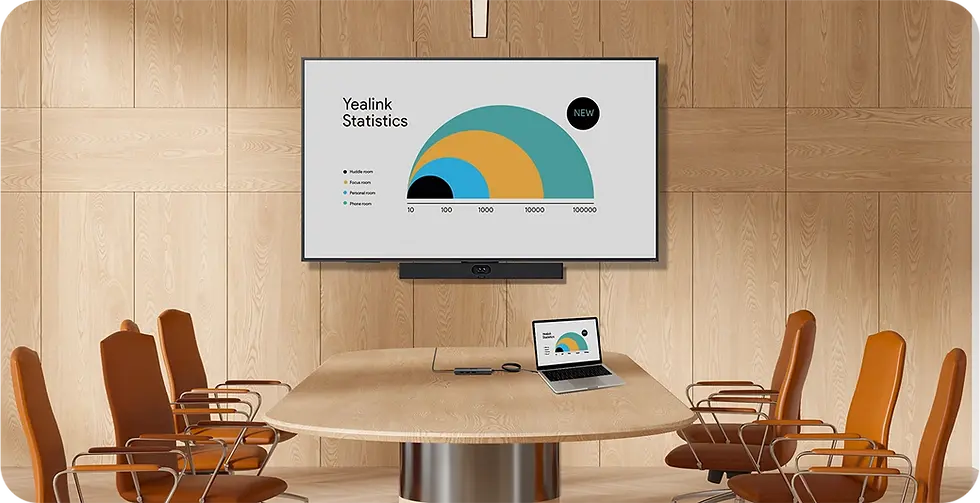
What Is a BYOD Meeting Room?
A BYOD (Bring Your Own Device) Meeting Room allows employees and guests to use their own laptop to start video meetings while taking advantage of the meeting room's professional camera, microphones, speakers, and display.
Instead of relying on a dedicated Microsoft Teams Room or Zoom Room account, users simply connect their laptop, launch their preferred meeting platform, and enjoy enterprise-grade audio and video.
Whether you're using Microsoft Teams, Zoom, Google Meet, Cisco Webex, or any other conferencing platform, a BYOD meeting room provides maximum flexibility with minimal setup.
Why Are More Businesses Choosing BYOD?
Today's workplaces are more flexible than ever. Employees, customers, and partners often use different collaboration platforms.
A traditional meeting room may only support one platform, but a BYOD meeting room works with almost all major conferencing applications.

Key advantages include:
Works with Microsoft Teams, Zoom, Google Meet, Webex and more
No room license required for every platform
Plug-and-play simplicity
Lower deployment costs
Supports Windows, macOS and Chromebook devices
Perfect for hybrid work environments
This flexibility makes BYOD an excellent choice for businesses that regularly collaborate with external customers and partners.
How Does a BYOD Meeting Room Work?
A BYOD meeting room is surprisingly simple.
Walk into the meeting room.
Connect your laptop using a USB-C or USB cable.
Open your preferred meeting application.
Select the room's camera, microphone and speaker.
Start your meeting.
Your laptop becomes the meeting controller while the room provides professional AV equipment for everyone in the room.
Many modern solutions even support single-cable connectivity, allowing one cable to handle audio, video and presentation sharing simultaneously.
Benefits of a BYOD Meeting Room
1. Platform Independence
Different customers use different meeting platforms.
Instead of forcing everyone to use Microsoft Teams or Zoom, BYOD lets users choose the platform they already use every day.
2. Better Meeting Experience
Using your laptop's webcam and microphone often results in poor audio and video quality.
A BYOD meeting room uses:
Professional conference cameras
Beamforming microphones
AI noise suppression
Echo cancellation
Large meeting displays
This creates a far more engaging meeting experience.
3. Faster Meeting Start Time
Nobody likes spending the first 10 minutes troubleshooting technology.
With plug-and-play connectivity, users can connect and start meetings within seconds.
4. Lower IT Costs
BYOD meeting rooms can reduce:
Licensing costs
Dedicated room PC requirements
Complex room configurations
User training
They are easier for IT teams to deploy and maintain while still delivering enterprise-level performance.
Where BYOD Meeting Rooms Work Best
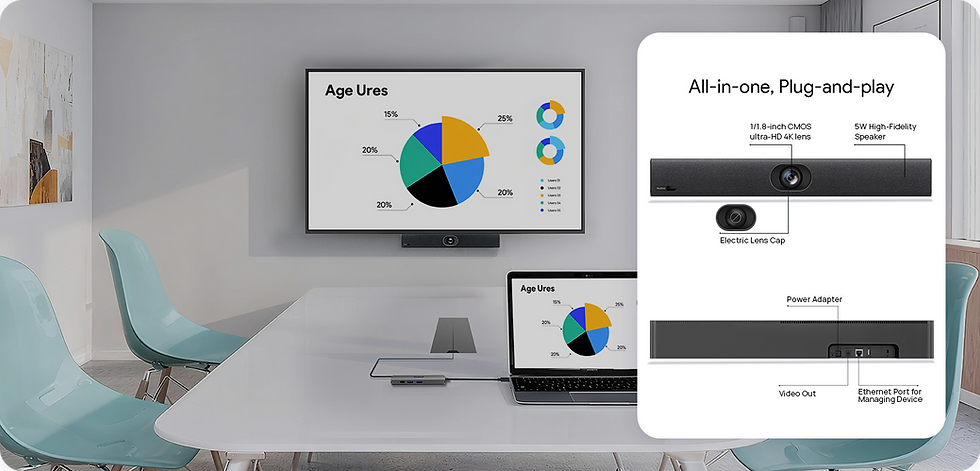
BYOD solutions are suitable for almost every workspace, including:
Small meeting rooms
Huddle rooms
Boardrooms
Training rooms
Coworking spaces
Education institutions
Government offices
Corporate offices
Yealink BYOD Solutions
As an authorized Yealink solution provider in Malaysia, Netregy offers BYOD meeting solutions designed for every room size.
Yealink provides multiple BYOD deployment options, including:
USB BYOD solutions
Smart BYOD
Pro BYOD
Dedicated BYOD meeting kits
These solutions support virtually every major video conferencing platform while delivering exceptional video and audio quality.
Why Choose Netregy?
Netregy helps organisations build meeting rooms that are easy to use, scalable, and ready for hybrid work.
Our services include:
Meeting room consultation
Room design and planning
Yealink solution deployment
Professional installation
User training
After-sales technical support
Nationwide implementation across Malaysia
Whether you're upgrading one meeting room or deploying across multiple offices, our team can recommend the right BYOD solution for your business.
Frequently Asked Questions
What does BYOD stand for?
BYOD stands for Bring Your Own Device, allowing users to connect their personal laptop to a meeting room's professional AV equipment.
Does a BYOD meeting room work with Microsoft Teams?
Yes. Users simply launch Microsoft Teams from their own laptop and use the meeting room's camera, microphone and speakers.
Can BYOD work with Zoom or Google Meet?
Absolutely. BYOD is platform-independent and supports most major conferencing applications.
Is BYOD better than a dedicated Teams Room?
It depends on your workflow. BYOD offers greater flexibility for organisations using multiple meeting platforms, while dedicated Teams or Zoom Rooms are ideal for businesses standardised on a single platform.
Is BYOD suitable for small meeting rooms?
Yes. BYOD solutions are available for huddle rooms, small meeting spaces, medium conference rooms and large boardrooms.
Future-Proof Your Meeting Rooms with Netregy
As hybrid work becomes the standard, businesses need meeting rooms that are simple, flexible and compatible with every collaboration platform.
A BYOD meeting room eliminates compatibility issues, improves user experience and maximises your investment in professional meeting room technology. If you're planning to upgrade your office collaboration spaces, Netregy can help you design and deploy the right Yealink BYOD Meeting Room Solution for your organisation.
Contact Netregy today to discover how a BYOD meeting room can transform collaboration across your workplace.


Comments